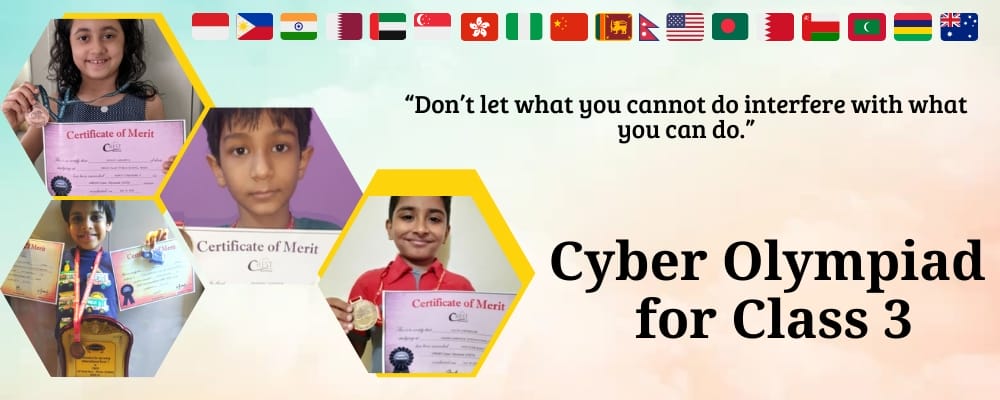
Cyber Olympiad for Class 3

CREST Cyber Olympiad for Class 3

Technology fascinates your Class 3 student-now channel that curiosity! CREST Cyber Olympiad develops essential computer skills through storage devices, internet basics, and MS-Word fundamentals. This internationally acclaimed competition prepares young learners for the technology-driven future while enhancing problem-solving abilities.

CREST Olympiads organize the CREST Cyber Olympiad. It is an international Cyber Olympiad exam for students who desire to enhance their cyber skills. With growing age, children become fond of computers, mobile phones, and new gadgets. This simply signifies their interest in technology and cyber. CREST Cyber Olympiad for class 3 is the best way to motivate and encourage students’ interest in technology & computer in an effective and efficient way.

>> Join CREST Olympiads WhatsApp Channel for latest updates.

Eligibility Criteria for Class 3 Cyber Olympiad Exams

a. Whether your child's school follows CBSE, ICSE, IB, a State Board or something else, and whether you live in India or overseas, your child can sit the Cyber Olympiad for class 3. Parents can also enter a child individually, without the school.

b. No help is allowed in Class 3. CREST's list of things that can disqualify an attempt includes a helper sitting with the child, a face slipping out of the camera view, another person using the test, and a calculator or phone.

c. Any webcam-equipped laptop, desktop or tablet will do, provided the screen measures over 11.5 inches, and the paper cannot be taken on a phone.

d. With Cyber there is only one round, so the Class 3 paper settles ranks, medals and certificates.

e. After payment, pick a time under Book Slot/Take Exam at least 2 days in advance, and expect reminder emails and SMSes 2-3 days before. A change after booking is charged INR 40.

Free Trial for CREST Olympiads

Benefits of Cyber Olympiad Exams for Class 3

1. Real software names. Operating systems (Windows, MacOS, Linux, Android, iOS) are listed for the first time in Class 3, and Excel and PowerPoint now join Word under productivity software.

2. Safety habits early. Antivirus software and passwords are listed for the first time, an easy way to start conversations about keeping a device safe.

3. Smart devices at home. The Latest Developments unit is about talking devices (Alexa, Siri, Google Nest) and biometrics such as fingerprint and face recognition, which children may already see every day.

4. Easy for working parents. Flexible slots mean working parents can be present to watch the practice tests and the main exam on the computer, says one Class 3 review, which also likes the question types, the exam format and the ease of use.

How to Apply for Cyber Olympiad for Class 3?

Registration for international Cyber Olympiad for class 3 can be done by students on their own or through school.

The school has to fill in the form present here: https://www.crestolympiads.com/register-school, and it will be contacted within 48 working hours with the next steps.

Students who register separately from school & want to appear for the online Cyber Olympiad exam for class 3 can follow these simple steps:
1. Go to the browser and copy-paste this link: https://www.crestolympiads.com/registration
2. The registration form pops up.
3. Fill in all the registration form details.
4. Select the exam at the bottom of the details filling section in the registration form you wish to appear in.
5. Read the instructions carefully.
6. Make the payment.
7. Registration is complete.

Note:

1. Cyber Olympiad Individual registrations by students are accepted.

2. Students who have not done registration through school will have to take exams from home. The individual participating should have a computer or laptop with a webcam and a good internet facility. The exam is monitored through a webcam.

Register for CREST Olympiads

Class 3 Cyber Olympiad Exam Syllabus

The Cyber Olympiad syllabus for Class 3 is a big step up from Class 2, from seven units to nine. File management, shortcut keys such as CTRL+S and CTRL+A, mouse cursor types, operating systems, antivirus and passwords are new. Latest Developments now covers talking devices and biometrics instead of the Class 2 drones, smartwatches, online shopping and gaming consoles, and Elements of Multimedia is no longer listed.

Section 1: Computer & IT

  • Fundamentals of Computer
    • Hardware and Software
    • Input and Output devices
    • Storage devices and Memory: Hard Drive, Flash Drive, Memory Cards, RAM/ROM
    • System Software: Operating Systems (Windows, MacOS, Linux, Android, iOS)
    • Application Software
    • Productivity Software: MS Word, MS Excel, MS PowerPoint
    • Web Browsers: Google Chrome, Microsoft Edge, Opera, Mozilla Firefox
    • Communication Software: Gmail, WhatsApp, Zoom, Google Meet
    • Entertainment & Gaming Software: Minecraft, Temple Run, YouTube Kids
    • Utility Software: Antivirus
  • Basic Computer Operations
    • Booting and Rebooting
    • Lock and Passwords
  • GUI Operating System and Desktop Management
    • Windows and GUI
    • Context menu (shortcut menu / pop-up menu)
    • Microsoft Store
    • Play Store
  • Introduction to File Management
    • Open, Close, Create, Rename and Delete a File or Folder
    • Cut, Copy, Paste, Drag and Drop
  • Keyboard and Mouse
    • Keyboard - Shortcut Keys: Save (CTRL+S), Select All (CTRL+A), Print (CTRL+P), Find (CTRL+F), Close (CTRL+W), Reopen Closed Tab/Window (CTRL+SHIFT+T)
    • Mouse - Cursor Types: Text insertion (I-Beam, blinking line), Pointing (arrow), Selection (crosshair), Busy (hourglass/spinning circle), Default cursor (arrow)
  • Introduction to Word Processing
    • New Documents: Creating, Opening, Renaming and Printing
    • Editing Commands: Cut, Copy, Paste, Undo, Redo, Navigation using Home & End Keys
    • Text Formatting: Font Colour, Fill Colour, Fonts, Cases
  • Internet - A Digital World
    • Use of Internet in daily life (Online & Offline)
    • Web Addresses (URLs), Website, Web Browser
    • Wireless Connections: Mobile Data, Bluetooth, Wi-Fi
    • Google Apps: Search, YouTube Music, Translate, Play Store, Contacts
  • MS Paint
    • Advanced Tools: Brushes, Rotate, Flip, Text, Curve, Tool Size, Resize, Skew, Cropping
    • Undo and Redo, Colour Palette, Edit Colours
    • Editing Images
    • Save and Save As
  • Latest Developments in the Field of IT
    • Talking Devices: Alexa, Siri, Google Nest
    • Biometric Software: Fingerprint Scanner, Face Recognition, Voice Recognition

Section 2: Achievers Section. The Higher Order Thinking Questions here are drawn from the nine Class 3 units. For Class 3, CREST bases its questions on Windows 11 and MS Office 2016; the Class 1 and 2 lists mention Windows 11 only.

Class 3 gets one hour for its 35 multiple-choice questions, and the paper totals 45 marks. The 25 basic questions give 25 marks and the 10 Achievers questions the other 20. Marks are never taken away for a wrong answer, and the Class 3 paper is the only round.

Dates and Fee for Class 3 Cyber Olympiad Exams

The exam dates for CREST Cyber Olympiad (CCO) for Class 3 for the Academic year 2026-27 are as given below:

Level 1 exam dates 12th January 2027
27th January 2027
Last date for registration It is advisable to register for the exam before December. 
Level 1 answer key dates 29th & 30th January 2027
Level 1 result date Generally, the results are announced within a month's time after the last answer key date

Note: Check Olympiad exam dates for other CREST Olympiads subjects as well.

The exam fee is INR 275 for students studying and enrolling from India. For students studying and residing outside of India, the fee is USD 15.

How to Prepare for Class 3 Cyber Olympiad Exams?

Class 3 has the longest list so far, so start about six weeks out with three short sessions a week.

Do the file work on a real computer: create a folder, rename it, make a file inside, cut, copy and paste it, then delete it. Practise the shortcut keys in the list, CTRL+S, CTRL+A, CTRL+P, CTRL+F, CTRL+W and CTRL+SHIFT+T, until your child can say what each one does without trying it. Watch the mouse pointer change between the I-beam, the arrow, the crosshair and the busy circle.

In Word, create, rename and print a document, use Undo and Redo, jump with Home and End, and change the font colour and case. In Paint, rotate, flip, resize and crop a picture, then use Save As. For the theory units, make a small chart of hardware and software, input and output devices, and the kinds of software (system, productivity, browsers, communication, entertainment, utility).

Once the topics feel familiar, time a full set of the class 3 Cyber Olympiad sample papers. Thirty-five questions in an hour means about 1 minute 43 seconds per question, and the 10 Achievers questions deserve a little extra of that time.

Extra questions are in the CREST Class 3 Cyber workbook, sold through the Olympiad books page. The fee covers two optional online practice tests, and the free trial is free; use both so your child gets used to working alone in front of the webcam.

Preparation Material Link
Class 3 Cyber Olympiad Sample Paper Check here
Class 3 Cyber Olympiad Previous Year Paper Check here
Class 3 CREST Fundamentals Check Topics
Olympiad Books

Cut-off & Answer Key for Class 3 Cyber Olympiad Exams

Class 3 Cyber Olympiad cut-off & rankings for the CREST Cyber Olympiad are normally made public so that candidates are aware of the minimum grading criterion. This informs students of the minimal passing score for the CREST Cyber Olympiad exam. The cut-offs are announced after the exam is held. Participants can find the cut-off on the CREST Olympiads website.

After the examination, the answer key for the CREST Cyber Olympiad for class 3 is revealed. This strategy of publishing answer keys to students aids in comprehending their mistakes and correcting them for future exams. The class 3 CREST Cyber Olympiad answer key will be made accessible on the CREST Olympiads’ official website.

Results of Class 3 Cyber Olympiad Exams

About a month after the last answer key date, CREST generally announces the class 3 Cyber Olympiad results under Performance on the dashboard.

Before that, the answer keys can be seen only on their fixed dates, so put them in the calendar. A question whose key seems wrong can be challenged on the answer key page itself, at INR 125 per question. That money is returned if the challenge is upheld, 50 reward points are added, and CREST's Academic Council reviews every challenge.

Gold, silver and bronze in Class 3 follow percentile bands of 96 and above, 93 to 96, and 90 to 93, and a top-10 zonal rank also counts for gold. Past toppers are shown on the awards pages; one was International Rank 1 in the Class 3 Cyber Olympiad in 2019-20 (Hall of Fame profile).

Awards for Cyber Olympiad

a. The Class 3 CREST Cyber Olympiad (CCO) is a single-level exam, so all awards are based on that one exam.

b. International Ranks 1 to 3 in each class receive an Achiever's Trophy and a Merit Certificate.

c. A Gold Medal and a Merit Certificate go to every student at the 96th percentile or above, every student with a zonal rank of 10 or less, and the top 3 school-registered students of each school that has more than 25 students in the class.

d. Students between the 93rd and 96th percentile receive a Silver Medal, and those between the 90th and 93rd percentile a Bronze Medal, each with a Merit Certificate.

e. The top 25% of students receive a Merit Certificate.

f. Students in the top 25% to 50% receive an 'Honourable Mention' Digital Certificate.

g. A student who meets two or more of these criteria receives the higher award. All awards are delivered to the school or home address given at registration.

h. Every online participant receives a Digital Participation Certificate in their dashboard.

i. Check Olympiad Awards & Prizes in detail now.

Class 3 Cyber Olympiad FAQs

3. Which subject is Cyber Olympiad?

Cyber as a subject is a specialized topic of Information Technology (IT) that is considered a subfield of Computer Science. Students will gain the information to understand computer operating systems, networks and technology. The Cyber Olympiad basically aims at testing participants on their computer-based knowledge.

Register for CREST Olympiads
70%