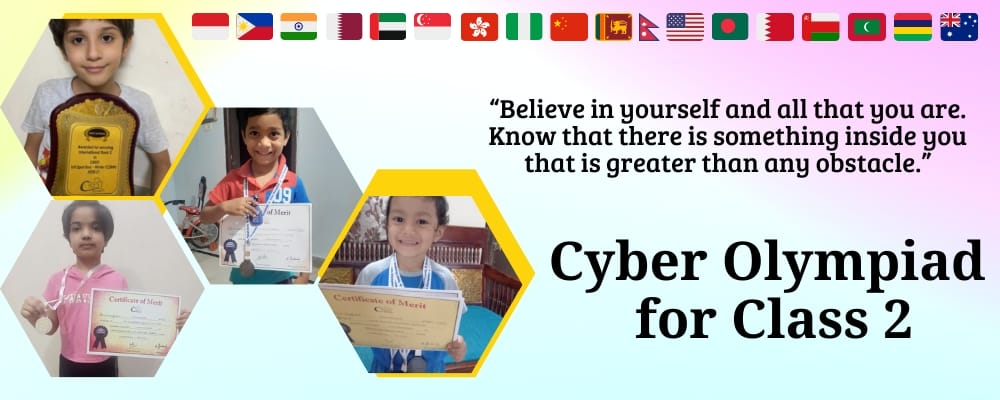
Cyber Olympiad for Class 2

CREST Cyber Olympiad for Class 2

Future tech-savvy stars begin here! CREST Cyber Olympiad for Class 2 transforms curious seven-year-olds into confident computer users through interactive learning about smart machines, keyboards, and MS-Paint. This international competition nurtures technological skills essential for tomorrow's digital world.

Students in class 2 are energetic, creative, and thoughtful. The CREST Olympiads aim to encourage students from different countries to participate in international Olympiad exams & develop skills in different subjects. International Cyber Olympiad is a competition that evaluates students' logical and problem-solving skills. CREST Olympiads (World's Most Innovative & Largest Online Olympiad Exam) organizes Cyber Olympiad for class 2 students. Students from 6000+ schools participate in this examination.

>> Join CREST Olympiads WhatsApp Channel for latest updates.

Eligibility Criteria for Class 2 Cyber Olympiad Exams

a. Class 2 children sit the Cyber paper without any adult beside them. CREST allows a helper only up to Class 1, so from Class 2 a person sitting alongside can get the paper disqualified.

b. Small things matter on camera too: the face has to stay fully inside the frame, nobody else may work on the test, and calculators and mobiles stay off the table.

c. Any school board qualifies, and families outside India are welcome. Schools can enter their students, and parents can register a child directly; CREST's Olympiads, running since 2019, now reach 6000+ schools in 60+ countries.

d. At home you need a tablet, laptop or desktop with a webcam and a screen larger than 11.5 inches, a 2 Mbps line and, ideally, Google Chrome.

e. The CREST Cyber Olympiad for class 2 has a single level. Ranks and awards are worked out from that paper, so there is no qualifying round to plan for.

Free Trial for CREST Olympiads

Benefits of Cyber Olympiad Exams for Class 2

1. The internet joins the list. Searching with Google and online streaming appear for the first time in Class 2, so children start talking about how they use the web, not just that they use it.

2. Keys that do jobs. Caps Lock, Shift, Num Lock, Enter, Spacebar, Backspace, Delete and the arrow keys each have a place in the syllabus, and knowing them makes typing quicker and less frustrating.

3. Tech they already spot. Drones, smartwatches, online shopping and gaming consoles make up the Latest Developments unit, a first look at technology in the news.

4. A fair check of progress. One Class 2 review calls CREST a great platform for children to see how they are performing, and another says the Olympiads build enthusiasm for competitive exams. Class 2 is also the first year with ranks and percentile medals.

How to Apply for Cyber Olympiad for Class 2?

Registration for international Cyber Olympiad for class 2 can be done by students on their own or through school.

The school has to fill in the form present here: https://www.crestolympiads.com/register-school, and it will be contacted within 48 working hours with the next steps.

Students who register separately from school & want to appear for the online Cyber Olympiad exam for class 2 can follow these simple steps:
1. Go to the browser and copy-paste this link: https://www.crestolympiads.com/registration
2. The registration form pops up.
3. Fill in all the registration form details.
4. Select the exam at the bottom of the details filling section in the registration form you wish to appear in.
5. Read the instructions carefully.
6. Make the payment.
7. Registration is complete.

Note:

1. Cyber Olympiad Individual registrations by students are accepted.

2. Students who have not done registration through school will have to take exams from home. The individual participating should have a computer or laptop with a webcam and a good internet facility. The exam is monitored through a webcam.

Register for CREST Olympiads

Class 2 Cyber Olympiad Exam Syllabus

Next to Class 1, the Class 2 Cyber Olympiad syllabus grows from four units to seven. Internet and Google, and Latest Developments in the Field of IT, are listed for the first time, keyboard and mouse get a unit of their own, and Word moves on from typing to basic formatting and saving a file. MS Paint stays, now with tools such as Line, Eraser, Fill and Magnifier. Class 1's "What is a computer?" and "How to start and shut down a computer" are no longer listed; restarting, sleep and lock appear instead.

Section 1: Computer & IT

  • Computers - The Ultimate Tool
    • Advantages and Disadvantages of computers
    • Desktop: Taskbar, Search and Start (Windows key)
    • Input, Processing and Output
    • Use of peripheral devices: Printer, Speaker, Headphone, Webcam, Scanner, Pen drive
    • Uses of computers in daily life: School, Bank, Hospitals etc.
  • Learning to use Keyboard and Mouse
    • Keyboard: Alphabet and Number keys
    • Special keys: Caps Lock, Shift, Num Lock, Enter, Spacebar, Arrow keys, Delete, Backspace
    • Key Combinations: Mouse
    • Clicking and Hovering
    • Buttons of mouse and their uses
    • Drag and Drop
    • Types of Mouse: Optical, Wired, Wireless, Touchpad, Gaming
  • Basic Computer Operations
    • Restarting, Sleep, Lock and Searching
    • Minimize, Maximize, Close
  • Internet and Google
    • Searching with Google
    • Online Communications
    • WhatsApp
    • Online Streaming
    • YouTube Kids
  • Software Familiarization
    • Introduction to Word Processing
    • Using Microsoft Word: Basic text formatting (Bold, Italic, Underline, Change Text Size), Title bar, Saving a file
    • Applications in mobiles & computers: YouTube Kids, Games, WhatsApp, Alarm Clock, Google Calendar, Calculator
    • Elements of Multimedia: Video, Audio, Text, Animation, Image
  • MS Paint
    • Advanced tools in Paint
    • Line, Eraser, Fill, Magnifier and Shapes
    • Saving your Drawing
  • Latest Developments in the Field of IT
    • Drone
    • Smartwatches
    • Online Shopping
    • Gaming Console

Section 2: Achievers Section. Its harder, Higher Order Thinking Questions go back over these seven units, set on Windows 11.

In numbers: 35 multiple-choice questions, one hour, 45 marks. A Class 2 child earns 1 mark for each of the 25 Section 1 questions and 2 marks for each of the 10 Achievers questions. A wrong answer does not cost marks, and with no Level 2 in Cyber, this is the only paper.

Dates and Fee for Class 2 Cyber Olympiad Exams

The exam dates for CREST Cyber Olympiad (CCO) for Class 2 for the Academic year 2026-27 are as given below:

Level 1 exam dates 12th January 2027
27th January 2027
Last date for registration It is advisable to register for the exam before December. 
Level 1 answer key dates 29th & 30th January 2027
Level 1 result date Generally, the results are announced within a month's time after the last answer key date

Note: Check Olympiad exam dates for other CREST Olympiads subjects as well.

The exam fee is INR 275 for students studying and enrolling from India. For students studying and residing outside of India, the fee is USD 15.

How to Prepare for Class 2 Cyber Olympiad Exams?

Let your child hold the mouse this year while you sit beside them. About five weeks of short sessions, three or four times a week, covers the list comfortably.

Week one is keys and clicks: alphabet and number keys, the special keys, clicking and hovering, the mouse buttons, and drag and drop. Ask them to name the kinds of mouse in the list: optical, wired, wireless, touchpad and gaming. Week two is Word: type a few lines, make one word bold, one italic and one underlined, change the text size, and save the file. Week three is Paint and the internet: draw with Line, Eraser and Fill, zoom with the Magnifier, save the drawing, then search for something together on Google and talk about YouTube Kids and WhatsApp.

Fit in the smaller topics as you go. Name the peripheral devices (printer, speaker, headphone, webcam, scanner, pen drive), list where computers are used (school, bank, hospital), and chat about drones and smartwatches when you see them.

Bring in the Class 2 Cyber Olympiad sample papers only after that. First do them topic by topic, later as a timed paper: 35 questions in 60 minutes leaves about 1 minute 43 seconds for each.

For extra questions, CREST's Class 2 Cyber workbook can be bought from the Olympiad books page. Finish with the free trial, which works like the main exam, and remember that your child will be on their own on the day.

Preparation Material Link
Class 2 Cyber Olympiad Sample Paper Check here
Class 2 Cyber Olympiad Previous Year Paper Check here
Class 2 CREST Fundamentals Check Topics
Olympiad Books

Cut-off & Answer Key for Class 2 Cyber Olympiad Exams

On the official website of the CREST Olympiads, the class 2 Cyber Olympiad cut-off criteria is posted. This helps candidates to evaluate where they stand in the competition.

The CREST Cyber Olympiad answer key for class 2 will be made available on the official website. The answer keys are usually released 1 week after the exam. Students can use the answer keys to analyze their scores before the actual results.

Results of Class 2 Cyber Olympiad Exams

Expect the results of the Cyber Olympiad for class 2 roughly four weeks after the answer key dates close. They sit in the Performance section of the dashboard once you sign in with the details used to register.

Ranking begins with this class. Students are ordered by marks. On a tie, the one who finished in less time goes higher, and after that the younger student by date of birth.

Percentile medals start this year as well. A child at the 96th percentile or above earns gold, and so does any child with a zonal rank of 10 or less; the 93rd to 96th percentile brings silver and the 90th to 93rd bronze. Even without a medal, the top half is recognised: the top 25% receive a Merit Certificate, while the band from 25% to 50% is given an 'Honourable Mention' digital certificate.

Awards for Cyber Olympiad

Since its inception, CREST Olympiads have always awarded and recognized the Cyber Olympiad exam winners. We believe that it gives students immense happiness when rewarded for their hard work, determination, dedication and more. The students who show outstanding performance are awarded and recognized. Check Olympiad exam prizes in detail now.

Class 2 Cyber Olympiad FAQs

1. How do you study for the Cyber Olympiad?

Begin by reviewing the chapter summary and practicing the questions for each chapter. Practice previous years' papers after you've gone through the syllabus thoroughly. Finally, and perhaps most crucially, take mock tests. This will help to get hold of the whole course.

Olympiad Success, one of the major online preparation sites for Olympiad exams, offers online practice papers and mock exams to help you prepare effectively. Students can also buy Cyber Olympiad workbooks for all classes. Best wishes!

Register for CREST Olympiads
70%