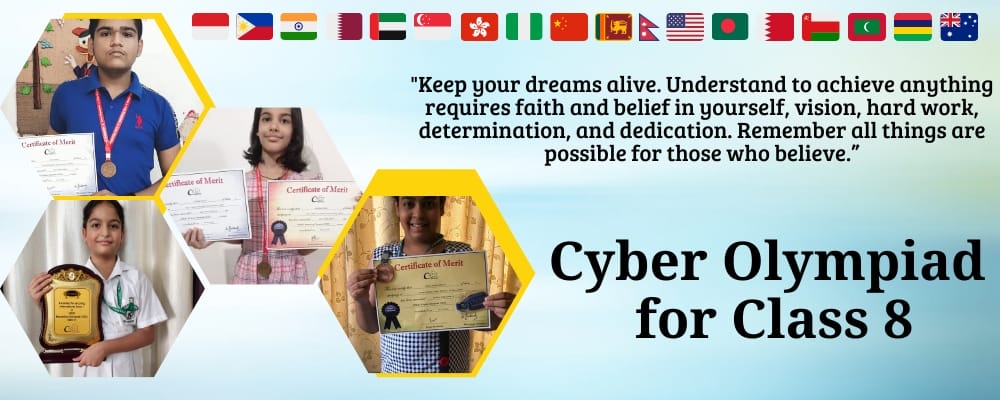
Cyber Olympiad for Class 8

CREST Cyber Olympiad for Class 8

Technology careers start with smart choices. CREST Cyber Olympiad for Class 8 evaluates computer knowledge and cyber skills through rigorous international assessments that separate tech enthusiasts from tech experts.

Students in class 8 are energetic, creative and thoughtful. The CREST Olympiads aim to encourage students from different countries to participate in international Olympiad exams & develop skills in different subjects. International Cyber Olympiad is a competition that evaluates students' logical and problem-solving skills. CREST Olympiads (World's Most Innovative & Largest Online Olympiad Exam) organizes Cyber Olympiad for class 8 students. Students from 6000+ schools participate in this examination. The exam is conducted in online mode only.

>> Join CREST Olympiads WhatsApp Channel for latest updates.

Eligibility Criteria for Class 8 Cyber Olympiad Exams

a. Any board, any country: the Cyber Olympiad for class 8 takes entries through schools and from individual students whose school is not enrolled.

b. For the full hour you must be alone and clearly visible on camera. Someone sitting with you or accessing the test, or the use of a calculator or mobile, can get the paper disqualified.

c. Before booking, confirm that your device is a laptop, desktop or tablet running Windows 8 or newer, or a Mac or an iPad, that it has a webcam and a screen bigger than 11.5 inches, and that your internet connection is stable. The exam opens in the latest Google Chrome, Edge or Firefox, not in Safari, and cannot be taken on a phone.

d. The Class 8 Cyber exam is held at a single level, with no second round after it.

e. Your fee (INR 275 in India, USD 15 elsewhere) includes two online practice tests. They are optional, but they let you rehearse on the proctored screen before the real thing.

Free Trial for CREST Olympiads

Benefits of Cyber Olympiad Exams for Class 8

1. Thinking before coding. Algorithms and Flowcharts open the Class 8 list: computational thinking, the flowchart symbols and the rules for drawing them.

2. Data, properly. MS Access appears for the first time with queries and reports, and Excel moves to PivotTables, Power Query, macros and VBA, the kind of tools used to handle large datasets.

3. Design for school and beyond. Canva covers design basics, colour theory, typography and short video editing, useful for posters, presentations and reels.

4. Thinking, not rote. A Class 8 review says the questions test concepts and make students apply knowledge, which discourages rote learning; another Class 8 testimonial likes being able to choose the time to take the tests.

How to Apply for Cyber Olympiad for Class 8?

Registration for international Cyber Olympiad for class 8 can be done by students on their own or through school.

The school has to fill in the form present here: https://www.crestolympiads.com/register-school, and it will be contacted within 48 working hours with the next steps.

Students who register separately from school & want to appear for the online Cyber Olympiad exam for class 8 can follow these simple steps:
1. Go to the browser and copy-paste this link: https://www.crestolympiads.com/registration
2. The registration form pops up.
3. Fill in all the registration form details.
4. Select the exam at the bottom of the details filling section in the registration form you wish to appear in.
5. Read the instructions carefully.
6. Make the payment.
7. Registration is complete.

Note:

1. Cyber Olympiad Individual registrations by students are accepted.

2. Students who have not done registration through school will have to take exams from home. The individual participating should have a computer or laptop with a webcam and a good internet facility. The exam is monitored through a webcam.

Register for CREST Olympiads

Class 8 Cyber Olympiad Exam Syllabus

The Cyber Olympiad syllabus for Class 8 is the longest so far. Compared with Class 7, it adds Algorithms and Flowcharts, Canva, MS Access, operating system functions, e-commerce and blogging, and blockchain and quantum computing. Python returns under the Programming unit (it was in Class 6 but not Class 7). Photoshop, Scratch, and the Class 7 encryption and cyber ethics topics are not listed this year.

Section 1: Computer & IT

  • Algorithms and Flowcharts
    • Computational Thinking
    • Flowchart Symbols:
      • Oval (Start/End)
      • Rectangle (Process/Task)
      • Diamond (Decision/Condition)
      • Arrow (Flow of control)
    • Rules for creating flowcharts: Begin with "Start" and end with "Stop", use arrows to connect symbols, decisions lead to different paths
    • Algorithms vs Flowcharts
  • Introduction to Canva
    • Canva Interface:
      • Understanding dashboard: templates, projects, folders
      • How to create a new design
      • Drag-and-drop functionality
      • Difference between free and premium elements
    • Design Basics:
      • Contrast, alignment, balance
      • Color theory basics and color combinations
      • Using white space effectively
      • Choosing appropriate fonts for different purposes
    • Typography Skills:
      • Font pairing, size and hierarchy
      • Text alignment and spacing
      • Making titles stand out
    • What can we do on Canva: Social Media Posts, Academic Posters, Creative Writing, Presentations, Infographics, Collaborative Projects
    • Video Editing: Making short videos/reels, Adding text, stickers, music, trimming clips, arranging scenes
  • Latest Developments in the Field of IT
    • Human-Computer Interaction: GUI, CLI, Touch, Voice, Gesture-based
    • Emerging Technologies: IoT, Blockchain, Quantum Computing
  • MS Access
    • Types of Queries
    • Creating a Query
    • Sorting Data in Query
    • Creating a Report
  • MS Excel
    • Using statistical functions like MEDIAN and CORREL
    • Working with large datasets: Text to Columns, Remove Duplicates
    • Advanced formulas: nested IF functions, array formulas
    • Data Visualization:
      • PivotTables, PivotCharts, Slicers
      • Advanced charts: radar, bubble, 3D, combo charts
      • Formatting charts: color themes, axis, legends, data labels
    • Conditional Formatting:
      • Complex rules and color scales
      • Using formulas for custom formatting (e.g., top 10% values)
    • Data Validation and Protection:
      • Drop-down lists
      • Restrict data entry
      • Protect sheets and ranges
    • Power Query and Power Pivot:
      • Import, clean, transform data
      • Build data models, analyze large volumes, create relationships between tables
    • Automation with Macros:
      • Recording, editing, debugging macros
      • Using VBA for custom automation scripts
  • MS PowerPoint
    • Customizing design elements: backgrounds, color palettes, fonts
    • Inserting and customizing vector graphics, icons, images
    • Advanced Transitions and Animations:
      • Motion paths, emphasis, fade effects
      • Customizing timing, triggers, sequencing
    • Multimedia Integration:
      • Embedding videos, audio, interactive elements
      • Hyperlinks for interactive/non-linear presentations
    • Data Visualization:
      • Inserting charts, tables, SmartArt
      • PowerPoint "Design Ideas" for automatic layout suggestions
    • Collaboration and Sharing: real-time editing, comments, export as video/PDF
  • MS Word
    • Multi-level lists for organizing information
    • Section breaks for page layout control
    • Inserting footnotes, endnotes, citations
    • Advanced headers and footers, automatic updates
    • Styles and Themes:
      • Customizing and saving styles
      • Modifying themes for consistent formatting
    • Working with Tables:
      • Inserting and formatting complex tables
      • Sorting, merging cells, formulas within tables
    • Track Changes: Accept/reject changes, comments for feedback
    • Document Protection and Security: Password protection, restrict editing, create forms with content controls
  • Network and Communication
    • E-commerce and Online Transactions: B2B, B2C, C2C, online payment systems
    • Blogging
    • Emerging Technologies: 5G, IoT, Cloud Computing, AI in Communication
    • Modes of communication in data transmission
  • Operating Systems & GUI
    • Functions: process management, memory management, file system management, device management
    • Single-user vs. Multi-user
    • User interface: GUI vs CLI
    • Navigating a basic OS (e.g., Windows)
    • Using UI
    • Fundamentals of Computer
  • Programming
    • Introduction to Python
    • Character Set, Tokens, Comments, Statements
    • Data Types, Variables
    • Defining Input and Output in Python
    • Error Handling
    • Programs in Python
  • Web Development
    • Introduction to forms: <form>, <input>, <button>, <label>
    • Types of input fields: text, password, email, etc.
    • Embedding audio & video using <audio> and <video>
    • Cascading Style Sheets (CSS)
    • Creating navigation menus with <nav> and <a> tags
    • Styling navigation menus using CSS (horizontal and vertical menus)

Section 2: Achievers Section. Here the Higher Order Thinking Questions come from the eleven Class 8 units, on Windows 11 and MS Office 2016.

Sixty marks ride on 50 multiple-choice questions and 60 minutes. Section 1 has 40 single-mark questions, the Achievers Section 10 double-mark ones, and nothing is lost for a wrong answer. As a single-level exam, Cyber has no Level 2.

Dates and Fee for Class 8 Cyber Olympiad Exams

The exam dates for CREST Cyber Olympiad (CCO) for Class 8 for the Academic year 2026-27 are as given below:

Level 1 exam dates 12th January 2027
27th January 2027
Last date for registration It is advisable to register for the exam before December. 
Level 1 answer key dates 29th & 30th January 2027
Level 1 result date Generally, the results are announced within a month's time after the last answer key date

Note: Check Olympiad exam dates for other CREST Olympiads subjects as well.

The exam fee is INR 275 for students studying and enrolling from India. For students studying and residing outside of India, the fee is USD 15.

How to Prepare for Class 8 Cyber Olympiad Exams?

With eleven units and a long Office section, start about ten weeks before your slot.

Begin with algorithms: write an algorithm and draw a flowchart for an everyday task, using the oval, rectangle, diamond and arrow correctly and starting with Start and ending with Stop. Then do Python basics, the character set, tokens, variables, input and output and error handling, with a few tiny programs. In Web Development, build a form with <input>, <button> and <label>, embed audio and video, and style a navigation menu with CSS.

Office needs time at the keyboard. In Excel, try MEDIAN and CORREL, Text to Columns, Remove Duplicates, nested IF, a PivotTable with a slicer, and a recorded macro. In Access, create a query, sort it and build a report. In Word, practise multi-level lists, section breaks, footnotes, citations and document protection.

Revise the theory units with short notes: OS functions, single-user versus multi-user, GUI versus CLI, the e-commerce models (B2B, B2C, C2C), and IoT, blockchain and quantum computing.

Finally, do the class 8 Cyber Olympiad sample papers as timed papers (72 seconds per question), add CREST's Class 8 Cyber workbook if you want more (Olympiad books), and take the free trial.

Preparation Material Link
Class 8 Cyber Olympiad Sample Paper Check here
Class 8 Cyber Olympiad Previous Year Paper Check here
Class 8 CREST Fundamentals Check Topics
Olympiad Books

Cut-off & Answer Key for Class 8 Cyber Olympiad Exams

On the official website of the CREST Olympiads, the class 8 Cyber Olympiad cut-off criteria is posted. This helps candidates to evaluate where they stand in the competition.

The CREST Cyber Olympiad answer key for class 8 will be made available on the official website. The answer keys are usually released 1 week after the exam. Students can use the answer keys to analyze their scores before the actual results.

Results of Class 8 Cyber Olympiad Exams

CREST announces the class 8 Cyber Olympiad results generally within a month after the last answer key date. They appear in the Performance section once you log in with your registered credentials.

In Class 8, gold is earned by reaching the 96th percentile, by finishing tenth or higher in your zone, or by a top-3 school rank (school-registered, more than 25 students in the class), while percentiles from 93 to 96 earn silver and from 90 to 93 bronze. Class 8's three highest scorers worldwide (International Ranks 1-3) each take home an Achiever's Trophy, and a Merit Certificate goes to everyone in the top quarter.

Toppers are listed on the awards pages. One recent example is the student who took International Rank 1 in the Class 8 Cyber Olympiad in 2022-23, now on the Hall of Fame.

Awards for Cyber Olympiad

a. The Class 8 CREST Cyber Olympiad (CCO) is a single-level exam, so all awards are based on that one exam.

b. International Ranks 1 to 3 in each class receive an Achiever's Trophy and a Merit Certificate.

c. A Gold Medal and a Merit Certificate go to every student at the 96th percentile or above, every student with a zonal rank of 10 or less, and the top 3 school-registered students of each school that has more than 25 students in the class.

d. Students between the 93rd and 96th percentile receive a Silver Medal, and those between the 90th and 93rd percentile a Bronze Medal, each with a Merit Certificate.

e. The top 25% of students receive a Merit Certificate.

f. Students in the top 25% to 50% receive an 'Honourable Mention' Digital Certificate.

g. A student who meets two or more of these criteria receives the higher award. All awards are delivered to the school or home address given at registration.

h. Every online participant receives a Digital Participation Certificate in their dashboard.

i. Check Olympiad Awards & Prizes in detail now.

Class 8 Cyber Olympiad FAQs

1. Which cyber Olympiad is best for class 8?

There are many organizations that organize Cyber Olympiads for class 8 each year. But the most recommended Cyber Olympiad is the CREST Cyber Olympiad exams. It is conducted for grades 1 to 10. The paper is carefully designed by experienced mentors to bring out the best technological and computer skills in students. Since it is an internationally held Cyber Olympiad exam students across the globe compete in the test which gives students a sense of challenge and courage. CREST Olympiads is considered to be the best in assessing students.

Register for CREST Olympiads
70%